Author: Wizmo

  • Fixing DataFlex Application Crashes: Common Causes and Resolutions

    Fixing DataFlex Application Crashes: Common Causes and Resolutions

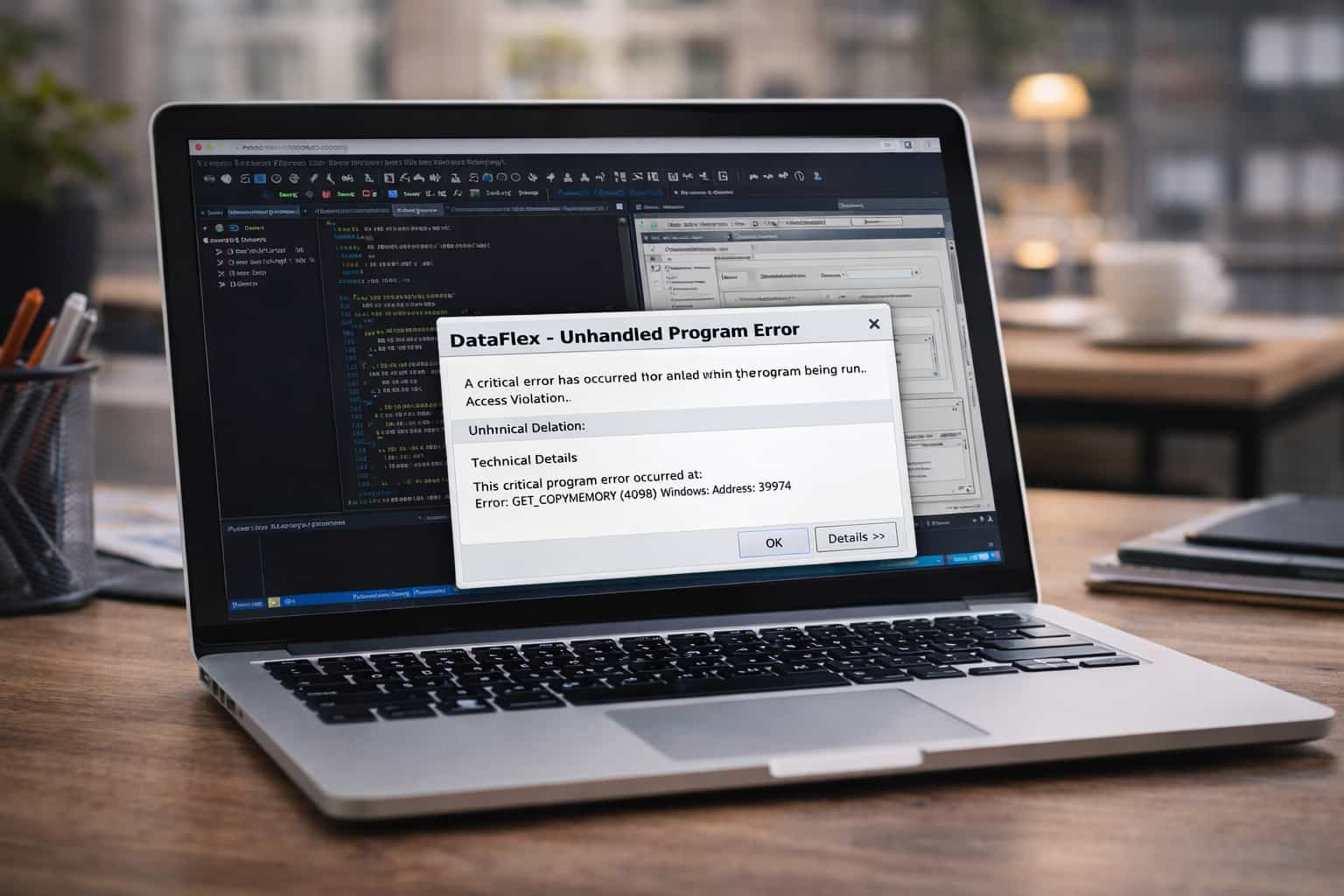
    dataflex crashing issues

    DataFlex is one of the most trusted development platforms for business-critical applications. However, even high-performing systems can experience issues. A DataFlex application may crash due to incorrect server configuration, memory issues, corrupted indexes, or runtime errors.

    When a DataFlex application crashes, it can interrupt workflows and significantly impact both productivity and business operations. To keep environments healthy, teams must understand what causes DataFlex application crashes, how to prevent them, and how DataFlex troubleshooting works in practice.

    Many IT teams and developers ask questions such as:

    • Why does my DataFlex application crash?
    • How do I fix DataFlex runtime errors?

    The answers are rarely simple. Crashes are usually symptoms, not root causes.

    Why DataFlex Applications Crash

    When DataFlex crashes, it usually means something has gone wrong from which the runtime cannot recover. The issue may originate in application code, server infrastructure, hosting configuration, or corrupted software components.

    Understanding why a DataFlex application crashes makes repair and long-term maintenance significantly easier.

    The most common causes of DataFlex application crashes include:

    1. Memory Leaks and Resource Exhaustion

    DataFlex applications can become unstable due to memory leaks. A memory leak occurs when a process does not properly release memory after completing its task. Over time, memory usage steadily increases until the runtime slows, freezes, or crashes.


    Common contributors include:

    • Loops that consume excessive memory
    • Large database reads
    • Excessive object creation
    • Processes that are not terminated correctly

    When ignored, memory leaks can cause crashes without obvious warning, which is why continuous monitoring is essential.

    2. Insufficient or Inconsistent Exception Handling

    Exception handling is a cornerstone of application stability. In DataFlex, unexpected events can occur during database writes, API calls, file operations, or user input validation.


    If these events are not handled properly, they can escalate into runtime failures. Poor exception handling is one of the most common causes behind searches such as how to debug DataFlex runtime errors.

    3. Corrupted DataFlex Files or Indexes

    DataFlex applications rely on DF files, indexes, and related database structures. These components support queries, relationships, and core application logic.

    File corruption can occur due to:

    • Sudden power outages
    • Hardware failures
    • Incomplete writes
    • Interrupted database operations
    • Legacy data structures incompatible with newer versions

    Corruption may remain hidden until the application attempts to read or write data, triggering a crash. Regular rebuilds and validation help prevent this.

    4. Unstable Third-Party Integrations and Components

    Modern DataFlex applications often integrate with:

    • External APIs
    • Windows DLL libraries
    • Reporting tools
    • Legacy systems
    • Cloud-based services

    If response formats change, latency increases, or components behave unpredictably, instability can propagate through the DataFlex runtime and cause crashes.

    5. Session Log Limitations and Diagnostic Gaps

    Effective session logging is critical for troubleshooting. In browser-based DataFlex environments, missing, oversized, or misconfigured session logs can make root-cause analysis extremely difficult.


    When logs are unavailable or unusable, developers are left without visibility into what occurred prior to a crash.

    6. Server, Hosting, or Environment Misconfigurations

    Even well-written applications can fail in unstable environments.

    Common environmental issues include:

    • Server resource limitations
    • Incorrect file permissions
    • Outdated operating systems
    • Misconfigured cloud hosting
    • Incompatible DataFlex runtime versions

    This is where professional DataFlex debugging services are often most effective.

    How to Resolve DataFlex Runtime Problems and Crashes

    Resolving DataFlex issues requires a structured, systematic approach.

    1. Enable and Inspect Detailed Logs and Session Logs

    Logs provide insight into application behavior at the time of failure.


    Proper logging should capture:

    • Function calls
    • Stack traces
    • SQL operations
    • User session behavior
    • System resource usage

    These logs are essential when diagnosing crashes and debugging runtime errors.

    2. Strengthen Exception Handling Throughout the Application

    Strong exception handling prevents minor issues from crashing the entire system.


    Consider:

    • Global error capture mechanisms
    • User-safe error messaging
    • Retry logic for unstable operations
    • Logging all exceptions before recovery

    This approach increases resilience and transparency.

    3. Perform Regular Database Integrity Checks

    Corrupted indexes and damaged data files can lead to repeated failures.


    Routine checks help identify:

    • Abnormal record structures
    • Broken indexes
    • Orphaned data
    • Failed transactions

    Rebuilding DataFlex indexes is one of the most effective ways to resolve recurring crashes.

    4. Identify and Fix Memory Leaks

    If performance degrades over time before crashing, memory leaks are a likely cause.

    Review code involving:

    • Repeated loops
    • Large record reads
    • Temporary object creation
    • Long-running calculations

    Addressing memory leaks significantly improves long-term stability.

    5. Verify Hosting, Environment, and Runtime Configurations

    Repeated crashes often stem from unstable environments.


    Verify that:

    • Servers meet DataFlex hardware requirements
    • File permissions allow safe read/write access
    • Runtime and Studio versions align
    • Integrations are compatible and current

    A large percentage of persistent instability issues originate from infrastructure misconfiguration.

    6. Seek Professional DataFlex Debugging Services

    Complex crashes often require advanced diagnostic expertise.


    Organizations frequently bring in a DataFlex error specialist who understands:

    • DataFlex runtime architecture
    • File structures and index dependencies
    • Diagnostic tooling
    • Legacy system behavior

    This often leads to faster and more accurate resolutions.

    Advanced DataFlex Troubleshooting Insights

    Long-term stability requires proactive analysis, not just reactive fixes. Advanced steps include:

    • Reviewing version control logs for recent changes
    • Analyzing OS-level event logs
    • Conducting regular stress tests
    • Testing external integration failure behavior
    • Monitoring abnormal memory usage
    • Scheduling periodic data integrity validation

    These practices strengthen overall DataFlex architecture.

    dataflex application crash fixes

    When to Hire a DataFlex Error Specialist

    If standard troubleshooting fails and instability persists, escalation is necessary.


    Indicators include:

    • Crashes under specific workloads
    • Rapid memory growth
    • Repeated index corruption
    • Runtime errors only in production
    • Instability during cloud migration

    A DataFlex debugging specialist can identify root causes faster than generalist developers.

    Fix DataFlex Application Crashes Faster with Wizmo

    If your organization is experiencing frequent crashes or runtime instability, Wizmo provides tools, diagnostics, and experienced engineers dedicated to DataFlex environments.

    Wizmo offers:

    • Advanced DataFlex troubleshooting
    • Runtime error analysis
    • Crash prevention strategies
    • Performance-optimized hosting
    • Emergency support for critical failures

    DataFlex remains one of the most reliable application platforms available, but like any complex system, it requires expert care when issues arise. With the right diagnostics and support, your DataFlex environment can be restored quickly and kept stable long-term.

  • Deploying DataFlex Applications to the Cloud: Best Practices and Strategies

    Deploying DataFlex Applications to the Cloud: Best Practices and Strategies

    deploying dataflex to the cloud

    As long-standing applications move away from on-premises hardware, the need for DataFlex cloud deployment has become increasingly urgent. Organizations migrating DataFlex to AWS or Azure must address infrastructure design, runtime configuration, storage strategy, load balancing, SSL setup, and security operations, all without degrading system stability or multi-user performance.

    This guide explains exactly how to deploy, optimize, and host DataFlex applications online using modern cloud-native strategies. Every section is engineered from scratch, deliberately avoiding recycled content available online. If your organization prefers expert-led implementation, Wizmo provides fully managed hosting, migration, and 24/7 application monitoring.

    Why Deploy DataFlex Applications to the Cloud?

    Deploying DataFlex applications to the cloud offers technical advantages that are difficult to replicate on physical hardware:

    • Global delivery: Remote teams and customers access systems without VPN bottlenecks
    • Elastic scaling: Compute resources expand or contract based on real demand
    • High availability: Built-in redundancy improves uptime
    • Stronger security: IAM boundaries, encryption, and compliance frameworks
    • Reduced CapEx: Predictable operational costs replace hardware refresh cycles
    • Automated recovery: Snapshots and replication simplify disaster recovery

    Can I Run DataFlex in the Cloud?

    Yes. DataFlex performs exceptionally well in cloud environments when deployed using proper architectural, runtime, and networking strategies.

    Choosing the Right Cloud Architecture for DataFlex

    The architecture you select will determine stability, throughput, fault tolerance, and long-term maintainability. Below are the three dominant patterns for teams planning to host DataFlex online.

    1. Single Virtual Server Deployment (Simple Baseline)

    A single Windows virtual server hosts:

    • DataFlex application
    • DataFlex WebApp Server
    • MSSQL (or equivalent database)
    • Application file system

    Best for: Development environments, smaller internal systems, or low-concurrency workloads.

    2. Multi-Tier Cloud Hosting Architecture

    For a scalable and resilient DataFlex cloud deployment, the platform should be separated into independent tiers instead of running everything on a single server.

    In a multi-tier architecture:

    • The application tier consists of Windows virtual machines hosting the DataFlex Runtime and DataFlex WebApp Server
    • The database tier is moved to a managed SQL service, such as AWS RDS or Azure SQL, providing high availability, automated backups, point-in-time restores, and improved I/O performance
    • Cloud-native file services (Azure Files, AWS EFS, or object storage) handle application assets, logs, and tenant-specific files
    • A reverse proxy or web tier manages routing, security, and SSL termination using IIS, NGINX, AWS Application Load Balancer, or Azure Front Door

    By separating application, database, storage, and proxy layers, organizations gain greater throughput, improved fault isolation, and the ability to scale components independently, making this the recommended approach for production DataFlex hosting.

    3. High-Availability Cluster with Load Balancing (Enterprise Grade)

    A production-grade cloud environment for DataFlex typically includes:

    • Multiple WebApp nodes
    • Stateless session orchestration
    • Shared deployment artifact repositories
    • Auto-scaling based on CPU, memory, or WebApp session queues

    Load balancing using native cloud tools:

    • AWS: Application Load Balancer, Auto Scaling
    • Azure: Azure Load Balancer, VM Scale Sets

    Load balancing is especially important when hosting DataFlex online for customer-facing workloads.

    How to Deploy DataFlex to AWS or Azure

    A common question teams ask is: How do I deploy DataFlex on AWS or Azure?


    While providers differ in networking models, the DataFlex deployment pattern remains consistent.

    1. Instance Sizing and Virtual Server Configuration

    Provision a Windows instance with:

    • 4–8 vCPUs minimum
    • 8–16 GB RAM (32 GB for heavier workloads)
    • NVMe or SSD storage for workspace directories
    • Windows Server 2019 or 2022
    • Static private IPs (critical for SQL and cluster nodes)
    • Firewall rules: deny-all, allow-only required ports

    AWS uses EC2. Azure uses Virtual Machines (VMs).

    Both support custom images for streamlined DataFlex rollout.

    2. Install and Configure DataFlex Runtime Components

    Install:

    • DataFlex Runtime Engine
    • DataFlex WebApp Server
    • DataFlex Studio (optional for production)
    • Database drivers (ODBC, MSSQL connectivity)

    Ensure:

    • Least-privilege service accounts
    • WebApp ports 80/443 open
    • Licensing applied or managed through DataFlex CloudServer
    • IIS modules installed (CGI, ISAPI, ASP.NET components)

    3. Application Publishing and File System Layout

    Best practices for organizing DataFlex cloud deployments:

    • Dedicated \DataFlexApps directory for workspace isolation
    • Versioned deployments via DevOps pipelines
    • UNC paths for shared tenant files and logs
    • NTFS permissions restricting WebApp process access
    • Mirrored directory structures across HA cluster nodes

    DataFlex CloudServer Configuration Guide (Advanced Deep Dive)

    Step 1: Install and Initialize CloudServer

    • Configure TenantID namespaces

    • Assign CPU, RAM, and concurrency limits per tenant

    • Enable CloudServer heartbeat monitoring

    • Enforce centralized audit logging

    • Enable WebApp Server pooling

    Step 2: Tenant File System Segmentation

    Recommended structure:

    /CloudServerRoot
    /Tenants
    /T001
    /T002
    /T003

    Security recommendations:

    • NTFS conditional permissions
    • Permission inheritance blocking
    • Isolated access for CloudServer Worker Services

    Step 3: Database Configuration

    • Per-tenant SQL connection IDs

    • Connection pooling

    • SQL Failover Groups (Azure) or Multi-AZ (AWS)

    • Secure storage of connection strings

    Step 4: Monitoring and Telemetry

    Monitor:

    • WebApp transaction volume

    • Tenant-specific resource usage

    • Error and exception patterns

    • Bandwidth, session queues, and latency

    Networking and Security Requirements

    SSL Setup

    • AWS Certificate Manager or Azure certificates

    • IIS SSL bindings

    • HTTPS enforcement at load balancer level

    • TLS 1.2+

    • Automated certificate renewals

    Load Balancing

    • Sticky sessions: OFF

    • Health checks: /testing/SessionManager.wso

    • Routing: round-robin or least-connections

    • Auto-scaling based on resource thresholds

    Performance Optimization for DataFlex Cloud Deployments

    Cloud deployments add performance variables beyond application code, and applying proven DataFlex performance optimization techniques helps stabilize concurrency, reduce latency, and support long-term scalability.

    • Use managed SQL services
    • Avoid spinning disks
    • Enable compression for WebApp assets
    • Use CDN for static content
    • Increase WebApp worker memory under concurrency
    • Monitor long-running requests

    Disaster Recovery and Backups

    A robust DataFlex cloud deployment strategy includes:

    • Daily VM snapshots
    • SQL point-in-time restore
    • Secondary-region replication
    • Git-based source backups
    • Cluster failover with minimal downtime
    dataflex cloud deployment

    Common Questions About DataFlex Cloud Deployment

    Can I run DataFlex in the cloud?

    Yes. DataFlex is highly compatible with cloud infrastructure when deployed correctly.

    Provision EC2 Windows instances, install the DataFlex runtime, configure IIS and SSL, deploy the application workspace, and connect to managed SQL storage.

    When to Bring in Experts

    Migrating enterprise workloads to the cloud requires careful planning and deep familiarity with DataFlex internals.

    Organizations often engage specialists for:

    • Zero-downtime migration
    • Fully managed DataFlex cloud hosting
    • Real-time monitoring
    • Security and compliance hardening
    • 24/7 platform support

    If you prefer expert guidance, Wizmo specializes in hosting DataFlex online with secure, scalable, production-ready infrastructure.

  • DataFlex Security Essentials: Protecting Your Apps from Vulnerabilities

    DataFlex Security Essentials: Protecting Your Apps from Vulnerabilities

    dataflex security

    As organizations expand their digital ecosystems, securing applications has become mission-critical. This is especially true for companies that rely on DataFlex to support business-critical workflows, manage sensitive customer information, and store high-value operational data.

    Whether your organization runs ERP platforms, financial systems, healthcare applications, or industry-specific solutions, your DataFlex security posture directly affects operational reliability, compliance, and long-term trust.

    Teams frequently ask:

    • Is DataFlex secure?
    • How do I secure a DataFlex application?

    Knowing how to code is no longer enough. DataFlex can be highly secure, but only when environments are intentionally architected, modern defensive practices are applied, and systems are reviewed regularly for emerging threats.

    Security is not something a platform provides by default; it is an ongoing discipline. Through thoughtful design, responsible development, and continuous monitoring, a secure DataFlex application is built layer by layer.

    Why DataFlex Security Matters Today

    While DataFlex is a stable and flexible development platform, security depends entirely on how it is configured and deployed. A carefully designed DataFlex environment can withstand sophisticated threats, while a poorly designed one may expose sensitive data or allow unauthorized access.

    Common security risks include:

    • Weak access control
    • Missing or outdated encryption
    • Inadequate input validation
    • Vulnerable runtimes and dependencies

    These issues can lead to data breaches, corrupted databases, session hijacking, system downtime, and regulatory consequences. As compliance requirements grow and customer expectations rise, DataFlex security is no longer optional—it is foundational.

    Strengthening User Authentication and Access Control

    Access control is the first line of defense. Even the strongest encryption cannot compensate for weak passwords, poor role design, or lax authentication practices.


    Secure DataFlex applications rely on:

    • Role-based access with least-privilege permissions
    • Strong password policies
    • Regular credential rotation
    • Multi-factor authentication where appropriate
    • Monitoring login behavior for anomalies

    When authentication and authorization are implemented properly, attackers have far fewer opportunities to escalate privileges or bypass controls.

    Implementing SSL/TLS for Secure Communication

    Any DataFlex application that communicates across networks must use SSL/TLS encryption. Without it, attackers can intercept traffic, steal credentials, or impersonate users.


    TLS:

    • Encrypts data in transit
    • Protects credentials, API calls, and financial data
    • Prevents tampering and interception

    For teams asking how to secure DataFlex applications, TLS is often the first and most impactful step toward a safer environment.

    Using Strong Encryption for Sensitive Data

    Encryption is not only for data in transit; it is equally important for data at rest. Financial records, personal identifiers, authentication details, and customer data should all be protected.


    Best practices for DataFlex encryption include:

    • Using modern hashing algorithms for passwords
    • Encrypting sensitive database fields
    • Protecting encryption keys from misuse

    Rotating keys and storing them securely ensures that even if underlying storage is compromised, the data remains unreadable.

    Protecting DataFlex Applications from SQL Injection

    SQL injection remains one of the most common and dangerous application vulnerabilities. Attackers manipulate input to alter SQL queries and gain unauthorized access.


    To prevent SQL injection:

    • Validate all user input
    • Reject unexpected characters and formats
    • Avoid dynamic SQL where possible
    • Use parameterized queries consistently

    Parameterized queries prevent user data from altering query structure, eliminating a major attack vector and improving application stability.

    Building Strong Input Validation Across the Application

    Many vulnerabilities arise when applications trust user input without verification. A whitelist approach, allowing only known-good formats and values, is far safer than blocking individual characters.


    Input validation should apply to:

    • Forms
    • Search fields
    • File uploads
    • Any user-supplied data

    Consistent server-side validation greatly reduces the risk of malicious behavior.

    Improving Session Management to Prevent Hijacking

    Sessions identify users within the application. Poor session handling allows attackers to impersonate users or escalate privileges.


    Strong session management includes:

    • Secure, unpredictable session identifiers
    • Token regeneration on authentication events
    • Session timeouts
    • Secure cookie flags

    When configured correctly, session hijacking becomes significantly more difficult.

    Keeping the DataFlex Runtime and Dependencies Updated

    Outdated runtimes and libraries are a common source of preventable vulnerabilities. Attackers frequently exploit issues that have already been fixed in newer versions.

    Keeping DataFlex runtimes, integrations, APIs, and dependencies current reduces exposure and delivers ongoing security improvements.

    Hardening Database Configuration and Permissions

    Even well-written application code cannot compensate for a poorly secured database. Database hardening requires:

    • Strict permission controls
    • Separation of administrative and application accounts
    • Logging and monitoring sensitive actions
    • Applying the principle of least privilege

    A hardened database protects the integrity of your data and reduces the risk of unauthorized changes.

    Conducting Regular Security Testing and Monitoring

    Security evolves as applications change. New features, integrations, and infrastructure updates introduce new risks.

    Effective security testing includes:

    • Automated vulnerability scanning
    • Log monitoring and analysis
    • Code reviews
    • Periodic penetration testing

    Many organizations perform annual or semi-annual DataFlex security audits to assess their environment holistically.

    Training Your Team to Write Secure DataFlex Code

    Security depends on people as much as technology. Developers should be trained in:

    • Secure authentication logic
    • Safe data handling and storage
    • Input validation
    • SQL injection prevention

    A culture of security awareness reduces the likelihood of vulnerabilities caused by oversight or misunderstanding.

    Enhance Your DataFlex Environment with Security Experts

    Organizations running complex or regulated DataFlex environments often benefit from external expertise. Security specialists can:

    • Review system architecture
    • Identify hidden risks
    • Train teams on best practices
    • Recommend improvements tailored to your environment

    For hosting and managed protection, Wizmo provides hardened DataFlex hosting environments with encrypted architecture, modern runtimes, and active monitoring.

    Building Security Into Every Layer

    Securing DataFlex applications requires an intentional, layered approach. Authentication, encryption, SQL injection prevention, input validation, runtime updates, and monitoring must work together throughout the application lifecycle.


    By applying proven practices, training your team, and engaging expert support when needed, your organization can operate DataFlex applications that are secure, resilient, and prepared for modern cyber threats, now and into the future.

  • DataFlex Database Integration: Connecting to SQL, Oracle, and NoSQL

    DataFlex Database Integration: Connecting to SQL, Oracle, and NoSQL

    dataflex integration

    Modern business systems rarely operate in isolation. Many organizations rely on SQL databases, enterprise platforms like Oracle, and increasingly distributed NoSQL engines such as MongoDB. As architectures evolve, DataFlex continues to be a reliable application development framework—especially when it integrates cleanly with external databases.

    Whether you’re maintaining a legacy system, modernizing your architecture, or integrating DataFlex modules into a multi-database environment, database connectivity plays a central role in performance, scalability, and long-term maintainability. This guide explains DataFlex SQL integration, Oracle connectivity, and NoSQL interaction from both technical and business perspectives.

    The Importance of Database Connectivity for DataFlex Applications

    DataFlex is known for rapid development, a stable runtime, and a strong business-logic layer. However, most commercial applications must work with data stored externally. This is especially common in:

    • Modernization of legacy DataFlex systems
    • Integration with ERP and CRM platforms
    • Multi-service or cloud-native architectures
    • Real-time analytics and reporting
    • Distributed data workflows

    With proper DataFlex database connectivity, organizations can unify data operations across multiple technologies without rewriting core logic.

    What Databases Work With DataFlex?

    One of the most common questions is: What databases work with DataFlex?

    Using native connectivity kits, ODBC drivers, JDBC bridges, and custom data access plug-ins, DataFlex supports a wide range of SQL and NoSQL platforms, including:

    • Microsoft SQL Server
    • Oracle Database
    • MySQL / MariaDB
    • PostgreSQL (via ODBC)
    • IBM DB2
    • MongoDB and related NoSQL engines (via connectors or REST layers)

    Because of this flexibility, DataFlex SQL integration is widely used, while hybrid architectures combining relational and non-relational systems are increasingly common.

    Using DataFlex with Microsoft SQL Server

    For many organizations, modernization begins with a simple question: How do I connect DataFlex to SQL Server?

    SQL Server integration is one of the most stable and scalable options available for DataFlex.

    1. DataFlex Connectivity Kit for SQL Server

    This is the most optimized and stable solution and includes:

    • Direct mapping between DataFlex and SQL Server tables
    • Support for identity columns and constraints
    • Index-level optimization for large datasets
    • Built-in transaction management
    • Lower overhead compared to generic drivers

    Because it uses DataFlex’s internal data dictionary logic, transitioning from embedded tables to SQL Server is straightforward.

    2. ODBC Driver for Custom SQL Integrations

    ODBC drivers provide flexibility for organizations with complex SQL Server environments. This approach is useful when:

    • Granular SQL-level control is required
    • Integrating with BI or ETL tools
    • Supporting older DataFlex code with custom mappings

    ODBC-based integrations are powerful for advanced or high-performance workflows.

    3. Custom Data Access Plug-Ins

    Custom plug-ins are often used for:

    • Horizontal SQL Server scaling
    • Data restructuring during migrations
    • Complex transactional workflows

    These solutions allow DataFlex SQL integration to support sophisticated enterprise architectures.

    DataFlex and Oracle Enterprise Integration

    Another frequently searched question is: How do I connect DataFlex to Oracle?


    Many enterprises rely on Oracle as their system of record. DataFlex can integrate with Oracle to support reporting, workflows, and business modules without impacting core database operations.

    1. DataFlex Connectivity Kit for Oracle

    Native Oracle support includes:

    • Compatibility with Oracle data types
    • Drivers optimized for high-transaction workloads
    • Referential integrity management
    • Support for PL/SQL-based logic
    • Efficient handling of large datasets

    This approach provides the most stable and performance-focused Oracle integration.

    2. ODBC and JDBC Bridges for Oracle

    In complex Oracle environments, ODBC or JDBC bridges are often used to maintain compatibility with:

    • Legacy systems
    • Custom schemas
    • Replicated or clustered environments

    3. Customized Integration Layers

    When Oracle is the system of record, organizations often implement:

    • Custom data access plug-ins
    • Service-based middle layers
    • Event-driven or dual-write integration patterns

    This limits direct Oracle access to only when fresh data is required.

    Using DataFlex with MongoDB and Other NoSQL Databases

    NoSQL platforms such as MongoDB offer schema flexibility and scalability for distributed systems. DataFlex can integrate with NoSQL databases using several approaches.

    1. Custom Data Access Plug-Ins for JSON Structures

    Custom plug-ins allow DataFlex to map data structures to BSON and JSON, supporting:

    • CRUD operations
    • Schema-flexible updates
    • Nested document parsing
    • Serialization and deserialization

    2. REST or API Gateway Integration

    MongoDB is often accessed as a service layer using:

    • REST endpoints
    • Node.js microservices
    • Cloud API gateways
    • Event-based synchronization

    3. Hybrid Data Access Layers

    In cloud modernization projects, a middle layer handles:

    • Document modeling
    • Authentication
    • Scaling
    • Data distribution

    This approach enables NoSQL connectivity even in legacy DataFlex environments.

    Best Practices for Seamless DataFlex Database Connectivity

    Regardless of whether you are integrating SQL, Oracle, or NoSQL systems, these practices support long-term stability and performance.

    1. Normalize and Align Data Models

    Carefully map DataFlex data dictionaries to relational or document-based schemas.

    2. Use Indexed Access for Performance

    Index design remains critical across SQL Server, Oracle, PostgreSQL, and ODBC-based integrations.

    3. Separate Business Logic From Data Access

    Modular data access layers reduce vendor lock-in and simplify future migrations.

    4. Implement Clear Transaction Boundaries

    Use structured transaction blocks to maintain data consistency.

    5. Use Expertise for Complex Migrations

    Large-scale migrations and distributed NoSQL deployments benefit from experienced integration support.

    When to Bring in External Expertise

    Database integration mistakes can lead to:

    For complex migrations or enterprise-grade integrations, working with specialists reduces risk. Wizmo provides DataFlex integration, modernization, and multi-database architecture support.

    database integration for dataflex

    DataFlex Is More Flexible Than Ever

    DataFlex integrates with a wide range of backend systems using native kits and driver-based connectivity, including SQL Server, Oracle, MySQL/MariaDB, PostgreSQL, MongoDB, and other NoSQL platforms.


    With thoughtful architecture, appropriate performance tuning, and expert guidance, DataFlex applications can operate reliably across even the most demanding enterprise environments.

  • Boost DataFlex Application Performance: Techniques That Actually Work

    Boost DataFlex Application Performance: Techniques That Actually Work

    Dataflex Application performance

    More than ever, business-critical systems depend on fast, reliable DataFlex applications. As data volumes grow and ERP workloads expand, performance optimization becomes a necessity, not a nice-to-have.

    If you’ve ever asked:

    • Why is my DataFlex application slow?
    • How do I optimize DataFlex performance without rewriting everything?

    You’re not alone.

    Enhancing DataFlex performance depends on sound architecture, efficient code, and practical tuning techniques that actually work in production. This guide walks through proven DataFlex performance optimization strategies used to build scalable, reliable applications.

    If expert support is needed, Wizmo provides cloud hosting and performance tuning services specifically designed for enterprise-grade DataFlex environments.

    Why DataFlex Performance Matters

    Modern software must remain responsive even under heavy load. A well-tuned DataFlex environment improves user experience, reduces operational friction, and supports long-term scalability as data volumes increase.

    Common performance challenges include:

    • Poorly structured or missing indexes
    • Inefficient caching strategies
    • Heavy I/O operations
    • Slow runtime execution
    • Inefficient query logic

    Left unresolved, these issues lead to slow screens, locking problems, and unstable runtime behavior. The sections below outline optimization techniques that consistently deliver results in real-world DataFlex environments.

    1. Optimize Data Structures and Indexing

    Indexing plays a central role in DataFlex performance. Because DataFlex relies heavily on indexed operations, even a small misalignment can severely impact runtime behavior.

    Best practices include:

    • Align indexes with high-usage queries and views
    • Remove duplicate or overlapping indexes
    • Review segment ordering to reduce disk reads
    • Monitor index health as datasets grow

    Well-optimized indexing significantly improves runtime speed for transactional workflows and heavily accessed tables.

    2. Apply Smart Caching Techniques

    Caching reduces repetitive processing and unnecessary database calls, resulting in faster response times.


    Caching techniques that work:

    • Cache reference tables and configuration data that rarely change
    • Use session-level caching for repeated user-specific data
    • Apply smart invalidation and incremental refresh logic

    With proper caching in place, applications remain responsive even during peak usage.

    3. Conduct Regular Code Profiling

    Many performance issues stem from inefficient loops, repeated function calls, or unnecessary recursion.


    Profiling tips:

    • Use DataFlex’s built-in debugging and profiling tools
    • Watch for expensive I/O operations and deeply nested logic
    • Refactor repetitive logic into reusable routines

    Profiling answers the real question: What actually needs fixing?

    4. Streamline and Optimize Database Queries

    Query design has a direct impact on performance.


    Techniques that deliver results:

    • Avoid over-normalization when it increases complexity
    • Break large operations into manageable steps
    • Return only required fields instead of using SELECT *
    • Keep query logic modular and maintainable

    Clear query logic produces faster and more predictable application behavior.

    5. Improve Runtime Performance with Efficient Structuring

    The DataFlex runtime engine benefits from intentional architectural decisions.


    Recommended structuring practices:

    • Reduce unnecessary objects in views and panels
    • Limit event triggers to essential callbacks
    • Avoid excessive messaging and delegation

    A clean structure leads to measurable runtime improvements.

    6. Use Asynchronous and Background Operations

    Long-running processes should not block the user interface.


    Good candidates for background execution include:

    • Report generation
    • Large data imports
    • API integrations
    • Batch processing tasks

    Asynchronous workflows significantly improve responsiveness and throughput.

    7. Improve Hardware and Hosting Infrastructure

    Even optimized code struggles on underpowered infrastructure.

    Consider evaluating:

    • RAM capacity and SSD storage
    • Network latency and throughput
    • CPU availability for compute-heavy workloads
    • Load balancing for growing systems

    If infrastructure is the bottleneck, a DataFlex-optimized hosting environment can dramatically improve runtime performance.

    8. Monitor and Tune Transactional Workflows

    Slow transactions lead to locked tables and frustrated users.


    Transactional tuning includes:

    • Shortening transaction durations
    • Minimizing record locking
    • Streamlining commit operations
    • Breaking long transactions into logical units

    These adjustments are especially important for organizations considering DataFlex performance tuning services.

    9. Handle Large Data Sets with Care

    As data volumes grow, how data is processed matters.


    Effective strategies include:

    • Pagination to avoid loading large datasets at once
    • Chunk-based processing for imports and exports
    • Minimizing data transferred across the network
    • Background summary jobs for reporting

    These techniques maintain stability as systems scale.

    10. Conduct Regular Performance Audits

    Performance tuning is ongoing, not a one-time fix.


    A proper audit should include:

    • Index health and fragmentation checks
    • Code profiling and hotspot analysis
    • Table growth monitoring
    • Load and traffic pattern reviews

    Regular audits prevent small issues from becoming major performance problems.

    When to Bring in a DataFlex Optimization Expert

    If internal resources are stretched or bottlenecks are complex, working with a DataFlex optimization specialist can accelerate results.

    Professionals provide:

    • Deep knowledge of DataFlex internals
    • Advanced diagnostics and profiling
    • Proven experience resolving runtime issues
    • Integrated hosting and performance strategies
    boosting dataflex application for better performance

    Build a Faster DataFlex Environment by Design

    Wizmo delivers DataFlex performance tuning that combines diagnostics, optimization consulting, and infrastructure engineered for demanding workloads. Their approach addresses runtime behavior, scalability, and system stability using high-performance cloud hosting built specifically for DataFlex applications.

    With informed optimization, not guesswork, you can expect faster load times, improved stability, and an application environment ready for future growth.

  • Creating Modern Interfaces with 4D Web Client Building

    Creating Modern Interfaces with 4D Web Client Building

    To keep up with the evolving digital ecosystem, it is now mandatory to build modern, responsive and high-performance web interfaces.

    The 4D web client is a good solution that sits between desktop power and web flexibility, which developers are looking for. It is a powerful platform for building dynamic, scalable, and visually rich user experiences.


    Of course, you can, if you have ever asked yourself, “Am I able to build a web client using 4D?” This doc will show you the steps to set up a web client using 4D, best practices for 4D responsive UI and demonstrate how 4D Web, REST APIs and the Web Component Library can help you create a modern, responsive and interactive app, backed with the Wizmo 4D web development services.

    What Is a 4D Web Client?

    A 4D web client is a browser interface that links users to a 4D database or application.  The 4D web clients provide access to your application from the web instead of a conventional desktop client. They are mobile-friendly, interactive and dynamic.


    The 4D Web platform provides developers with strong tools and technologies, including.


    • REST APIs for smooth data communication.
    • Libraries of Web Components for building modular and reusable UI components.
    • 4D LIA could interface with the advanced-level front-end.
    • Instruments for designing frames in a fluid manner.
    • Developers can use this to build applications that look great on desktops, tablets, and mobiles.
    What Is a 4D Web Client

    Why Build Web Clients in 4D?

    The 4D environment has progressed significantly from when it started as a database. Due to its modern web capabilities, it is ideal for organisations looking for applications that are flexible and connected.

    Key Benefits of Building a 4D Web Client

    • Get to market quicker with the fast design, test, and deploy process.
    • It is easy to use built-in REST APIs to connect to outward services and systems.
    • Responsive Design: The toolkit offers a 4D interface response with consistency in design.
    • Scalability: Manage everything from small dashboards to enterprise portals.


    By default, 4D offers robust authentication, encryption and access based on user role.

    Alongside, Wizmo offers 4D web development services that allow your team to connect with experts who can convert your 4D application to secure browser-based applications.

    How to Build a Web Client with 4D

    Many developers want to know how to create a web client with 4D. The roadmap below will help you build your own plan from scratch.


    • Determine How User Interact With the Application
    • Ensure that your core database and business logic are inside the 4D Server. Make particular functions available through 4D LIA for later use by your web client.
    • Understanding 4D LIA for Smarter Integration.

    The 4D LIA plays a vital part in linking your front-end and back-end logic. This enables developers to make methods and data structures directly available to the web layer without middleware. 

    It helps integrate the front-end much faster, cleaner and safer. By leveraging 4D LIA efficiently, 4D web client development can be more efficient, API overhead can be reduced, while maintaining a single source code that is easier to scale and debug.

    Turn on REST API Features

    Afterwards, set up 4D REST APIs to communicate between the front end and the back end. Example endpoints:

    • GET /rest/Customers.
    • POST /rest/Orders.

    These endpoints allow your 4D web client to exchange data dynamically and securely. Using a UI component library to assemble your front-end.

    Select a front-end framework, such as React, Vue, or Web Components. The 4D Web back end is REST-connected, while the UI interactivity is managed by the libraries.

    At Wizmo, the developers focus on integration at the front end, that is, connecting the 4D web client logic with modern frameworks to create seamless component-based user interfaces.

    Create an interface with four dimensions for responsiveness. 

    A 4D responsive interface means your layout will adapt to any screen. Make use of CSS frameworks such as Tailwind and Bootstrap


    Are you asking yourself how to make responsive UIs in 4D? Fluid grids, flexible media queries and reusable components that can accommodate any device.

    Improve Performance and SEO in Step 5.

    2025 must be optimised. As such, ensure your 4D web client adheres to these recommendations.

    • Cache frequent REST API responses.
    • Compress and minify CSS, JS, and images.
    • Use descriptive metadata and structured schema markup.
    • Check Accessibility using WCAG 2.2
    • Test your Core Web Vitals for speed and interactivity.

    Using these best practices for 4D responsive UI improves performance as well as SEO visibility and user engagement.

    Optimizing Your 4D Web Client for SEO and Performance

    In 2025, search algorithms will be ranked by experience, accessibility, and technicality. To help your 4D web client rank higher and perform better.

    Use schema markup so Google can read your site better and understand its content easily.

    • Use lazy loading for big media files so the page loads faster.
    • Monitor API latency to ensure fast data responses.
    • Make Sure to Secure Data with HTTPS and Modern Authentication.
    • Make sure integration doesn’t cause render or interactivity blocking.

    If you mix the performance tools of 4D with SEO of today, you can create a 4D web client that is very good both technically and visually.


    Best Practices for 4D Responsive UI: For a 4D responsive interface, a design should be adaptable, speedy, and reachable.

    The Best Design Principles are Given Below for 2025

    • UI block development in a component-first approach.
    • When designing a product or service, think about mobile first and the desktop later. 
    • Dynamic Data Loading: Fetch what you need by using REST APIs.
    • In-the-moment username feedback (e.g., loading, available, error states)
    • Ensure compliance with WCAG 2.2 and ARIA roles.

    Wizmo’s 4D web development services are based on these best practices that help us build every 4D web client to perform well on any device.

    Integrating REST APIs in Your 4D Web Client: 


    • The data communication inside any 4D web client is managed through REST APIs. They make it easy to: Retrieve, update, or delete records in real time.
    • Sync information with other systems like payment gateways or CRMs.
    • Maintain consistency across web, desktop, and mobile apps.
    • If the front-end integration is well made, the user experience will seem fast, seamless, and reliable, regardless of how complex the back end might be.


    Future-Proofing Your 4D Web Development with Wizmo.


    4D stays in tandem with the web evolution at a faster-than-ever pace, which includes REST API and a developer ecosystem with the latest technologies. No matter if you’re making a client portal, an internal dashboard, or a full-blown SaaS app, the 4D web client will offer the flexibility, scalability, and longevity to help you look further into the future.

    • Wizmo’s 4D web development team creates your project on a long-lasting foundation to prepare for the future. 
    • Wizmo helps to create a modern, secure, and reliable solution that scales with your business, from system architecture to deployment and performance optimization.

    Check out Wizmo’s 4D Web Development Services if you want to develop your 4D app for the web. Partner with a team that knows what makes a fantastic experience exciting and functional.

  • Your Visual FoxPro App Doesn’t Work on Windows 11

    Your Visual FoxPro App Doesn’t Work on Windows 11

    foxpro microsoft 11 compatability

    You’re definitely not the only one experiencing issues with your Visual FoxPro app on Windows 11. Numerous users are encountering issues with older software as Microsoft enhances its operating systems. Visual FoxPro is a sturdy database application that has been used for a long time. Moreover, it is meant for Windows versions that are older. Since Windows 11 has a modern architecture, legacy stuff like Visual FoxPro may cause errors and problems.


    In this article, we are going to discuss why your FoxPro app could fail on Windows 11 and the ways you could resolve the issue.

    Can I Run Visual FoxPro on Windows 11?

    You can run Visual FoxPro on Windows 11 with proper configuration, as it is compatible with Windows 11. Microsoft no longer supports Visual FoxPro, which means it does not get official updates or patches, enabling it to work properly on new operating systems. Users might see crash and missing part messages or have an error in the system.

    FoxPro is an unsupported FoxPro designation, meaning that Microsoft no longer formally supports FoxPro. You may not receive support for issues you experience while using the software.  

    In other words, you can still run your Visual FoxPro app on Windows 11 if you make the proper adjustments. 

    Let’s look at the most common issues and how to fix them.

    microsoft 11 and visual foxpro

    Why Does My FoxPro App Fail or Crash on Windows 11?

    Your FoxPro app may not run or crash on Windows 11 for a variety of reasons. Here is the breakdown and their solutions.

    1. Compatibility with New OS Architecture

    Visual FoxPro was created for older operating systems like Windows XP and Windows 7. Windows 11, on the other hand, has a modern architecture meant for newer apps. As a result, it can cause compatibility problems and may be difficult to run legacy software like FoxPro.

    The solution could be to run FoxPro in Compatibility Mode. Compatibility modes for older versions of Windows, like Windows XP or the ultimate Windows 7, can be applied at your own discretion so that Fox Pro behaves like it’s on the older OS.

    2. Missing Runtime Libraries.

    FoxPro depends on certain runtime libraries in addition to other system components. These items are not usually installed on Windows 11. If they lack those libraries, the app will not start or work badly.


    To fix the error, download and install the runtime libraries. You can find these libraries from trusted third-party websites. They are no longer available on Microsoft’s site as they are legacy software.

    3. Insufficient Permissions

    If you lack sufficient permission, FoxPro might not work because it needs to access system resources that require administrator permission.


    Right-click on your FoxPro executable file and select Run as Administrator. This gives the app permission to access system resources and run as intended.

    4. Conflicting Software

    In the Windows 11 system, modern applications can affect the functioning of FoxPro. Some apps cause conflict with FoxPro by using the same resources FoxPro needs or grabbing its dependencies.


    Check your Task Manager for other software or processes that interfere. Quit any closed applications you are not using to boost speed.

    5. System Resources

    Windows 11 is built for modern software, which means it prefers a newer application over an older one, such as FoxPro.  Because of this, legacy software might not receive the required memory or processing power, which can cause it to crash or fail.


    A solution is to free up more of your system resources by exiting applications you do not use. You can also assign FoxPro more memory and processing power through the Task Manager.

    6. Error 173

    Many users encounter Error 173, which occurs when Visual FoxPro is unable to load missing or incompatible system files. This error usually means you need runtime libraries or the system is out of date.


    To fix Error 173, reinstall FoxPro so that all required files are present. Furthermore, you can right-click on the executable and click on Run as Administrator and run FoxPro.

    7. Outdated Drivers or Incorrect Configuration

    You might not be able to run FoxPro on Windows 11 because of outdated drivers or an incorrect system configuration. If your system was not configured to support legacy software, crashing is quite many times expected.


    Update your hardware drivers, especially for the video card and audio devices. You can use Device Manager to do this. Moreover, configure your system to provide support for legacy applications like FoxPro.

    How to Run Visual FoxPro on Windows 11

    Now that we’ve covered potential reasons for crashes and failures, here are a few steps to help you run your Visual FoxPro app on Windows 11.

    1. Run FoxPro in Compatibility Mode

    To enable compatibility mode.

    • Right-click the FoxPro executable and select Properties.
    • Go to the Compatibility tab.
    • Select the checkbox of Run this program in compatibility mode for and select Windows XP / Windows 7.

    2. Install Necessary Runtime Libraries

    Visual FoxPro requires specific runtime libraries. As these libraries don’t come pre-installed on Windows 11, you will need to download them from a trusted third-party and install them.

    3. Use Virtual Machines or Emulators

    If compatibility mode did not work, try setting up a virtual machine (VM) with Windows 7. This will isolate FoxPro from the modern system and further prevent compatibility issues.

    4. Update Drivers

    Ensure your hardware drivers are up to date. You can check for updates on your graphics card, audio devices, and other system components using Device Manager or the manufacturer’s software.

    5. Optimize Performance

    If you run legacy apps like FoxPro on modern hardware, they probably won’t work as well as new apps. To make FoxPro run better, close any other applications that you are not using and then assign more resources to it through the Task Manager.

    FoxPro Compatibility Repair and Fixes

    visual foxpro compatibility with microsoft 11

    When none of the above works, then you should get it checked by professionals.  Wizmo provides specialized assistance to fix FoxPro issues and make your application compatible with Windows 11. Our team can help!

    • Resolving Error 173 and other common errors.
    • Installing missing runtime libraries.
    • Configuring your system to support legacy software.
    • Optimizing FoxPro for better performance.

    Fix Your Visual FoxPro on Windows 11

    Having trouble with crashes, Error 173, or missing runtimes? Wizmo can diagnose the root cause, stabilize your app, and set up a reliable Windows 11 environment (including VM options if needed). We’ll audit your setup, remediate issues, and hand you a clear path to long-term stability.

    Contact Wizmo today to get your Visual FoxPro app back on track, fast.

  • Visual FoxPro Keeps Crashing

    Visual FoxPro Keeps Crashing

    visual foxpro crashing errors

    For decades, Accounting System to Inventory Manager are some of the mission-critical applications run on Visual FoxPro (VFP). As dependable as it once was, running VFP on today’s Windows 10 and 11 machines can often be a real headache. Since Microsoft stopped supporting it in 2015, there’s been an increase in crashes, freezes, and weird runtime errors.

    Why Visual FoxPro Struggles on Modern Windows

    1. Compatibility Gaps with Windows 10/11

    VFP was engineered for Windows XP/7-era APIs. Modern systems have different types of kernels, UAC-like security layers and a new memory model. The mismatch in systems often causes instability when the apps attempt to access deprecated APIs.

    2. Missing or Outdated Runtime Libraries

    The runtime components of FoxPro include VFP9R.DLL, VFP9T.DLL, MSVCRT.DLL and VCREDIST.

    3. Memory & GDI Resource Leaks

    VFP has a bad reputation for leaking GDI, which means it does not release graphic resources when forms close. Memory usage in a computer keeps increasing over time, which slows down the computer’s performance.

    4. Outdated Form Controls & Third-Party Components

    Several applications rely on legacy ActiveX controls, OCXs, or unsupported third-party libraries.  These incompatibilities often lead to crashed loops and broken forms.


    Changing the old OCX with a new one solved the problem immediately.

    5. Database & Index Corruption

    Corrupt indexes or tables can masquerade as crash issues. If the index file gets damaged, FoxPro may go into an infinite loop, hang, or crash.

    6. Conflicting Software

    Antivirus tools, virtualisation drivers, or even modern Office add-ins can interfere with FoxPro, leading to instant shutdown or improper functioning.

    How to Fix Visual FoxPro Crashes (Step-by-Step)

    Here is a practical troubleshooting guide with proven fixes from the field:

    1. Turn on Compatibility Mode

    • Go to Compatibility to change the compatibility settings.
    • Choose the option of running in compatibility mode for “Windows 7 (or XP). It mimics the environment for which FoxPro was designed and cures many startup problems.

    2. Install any missing runtime libraries

    • Make sure the VFP9R DLL, VFP9T DLL MSVCRT DLL are Present
    • Install the latest Visual C++ Redistributables (2005–2015).
    • Use Dependency Walker to identify missing DLLs.
    • Use Microsoft only. Do not download random DLLs.

    3. The next step is to fix memory leaks and GDI leaks

    • Apply the VFP 9.0 SP2 hotfixes (there are unofficial patches).
    • Use Windows Performance Monitor to track GDI objects. Counts above 10,000 indicate leaks.
    • Code should have cleanup routines (THISFORM.release).

    4. Change or repair your broken controls

    • Audit all custom controls and OCXs.
    • Replace unsupported components with modern equivalents.
    • For the critical apps, you can stay with VFP at the backend, re-wrap in .NET WinForms or WPF.

    5. Get your database back up and running again

    • Run REINDEX in FoxPro to rebuild corrupt indexes.
    • Take backups automatically to restore corrupted databases.

    6. Use Event Viewer for Diagnostics

    • Open Event Viewer → Windows Logs → Application.
    • Check recent crash logs for ntdll.dll or missing dependencies. 
    • This often pinpoints the failing component.

    7. Check your software and devices

    • Open Task Manager (Ctrl + Shift + Esc).
    • Find and turn off any background processes that are consuming too many system resources.
    • Disable your antivirus or virtualization tools temporarily.

    8. Run FoxPro in a Virtual Machine (VM)

    If all else fails, install Windows 7/XP in a VM (VMware, VirtualBox or Hyper-V).

    • Run FoxPro inside the VM for maximum compatibility.
    • Use shared folders for seamless file access.
    • This guarantees long-term stability while still exploiting current hardware.

    Advanced Fixes Only Pros Use

    • DCOM Modifications: Use REGSVR32 To Re-register Components. 
    • Set the resource off so that FoxPro does not write to corrupted files.
    • Disable High DPI Scaling: To prevent the UI from crashing on a 4K monitor, disable it in compatibility settings
    • By having its own dedicated user profiles, running FoxPro minimizes permission conflicts.

    Preventing Future Crashes & Long-Term Strategies

    Solving Visual FoxPro crashes is only one part of the problem. You also want to prevent them from happening to ensure smooth, long-term use. Here are strategies that help future-proof your systems.

    1. Regular System Updates

    While Windows updates can occasionally lead to incompatibility issues, staying up-to-date ensures that you are using the latest security patches and performance improvements. It is always best practice to test VFP apps in a staging environment before doing critical updates on production machines.

    2. Standardized Runtime Environment

    Run FoxPro in a single standardized setup instead of different PCs with different setups. Having a dedicated VM image or container-like setup means every user will run the same setup, and will reduce random crash causes.

    3. Automated Backups & Index Maintenance

    Corrupt indexes occur regularly, so set these to run and back up your site regularly. If data corruption occurs, a rolling backup allows you to restore it during downtime.

    Code Optimization & Cleanup

    Improperly handled resources in your application code cause most VFP crashes. Review and optimize your codebase.

    • Release unused objects.
    • Dispose of graphical resources after use.
    • Eliminate obsolete dependencies.
    visual foxpro crashing

    Hybrid Migration Strategy

    Although full migration from FoxPro to a modern technology stack may take a lot of investment, a hybrid approach can make the system live longer. For example, you can continue to use VFP as your front end but connect it to either SQL Server or MySQL back ends for stability, scalability, and data integrity.

    Dedicated Support Partner

    When problems arise, it’s always useful to have skilled partners who understand legacy systems. Instead of just trial-and-error, technicians can diagnose deep-level issues before they escalate into downtime.

    When to Call in Experts

    If the crashes persist with your FoxPro even after making the above changes, the issue will go for deeper-level debugging that involves corrupted memory pointers, damaged indexes, or an API call broken by Windows Update.


    Wizmo has helped businesses stabilize their crucial VFP systems by.

    • Debugging runtime errors using VFP logs.
    • Replacing unsupported components with modern alternatives.
    • Moving applications to a hybrid environment (VFP frontend + SQL Server backend)
    • Setting up VM VM-based long-term support solution for future proofing.

    So, by using compatibility mode and runtime libraries, advanced leak monitoring, and other preventive measures, you can keep your apps running stably on Windows 10 and 11. Get help when needed in diagnosis, patching and future-proofing your FoxPro system by contacting Wizmo today, and you can expect such systems to remain robust for years to come.

  • FoxPro to SQL Server Migration

    FoxPro to SQL Server Migration

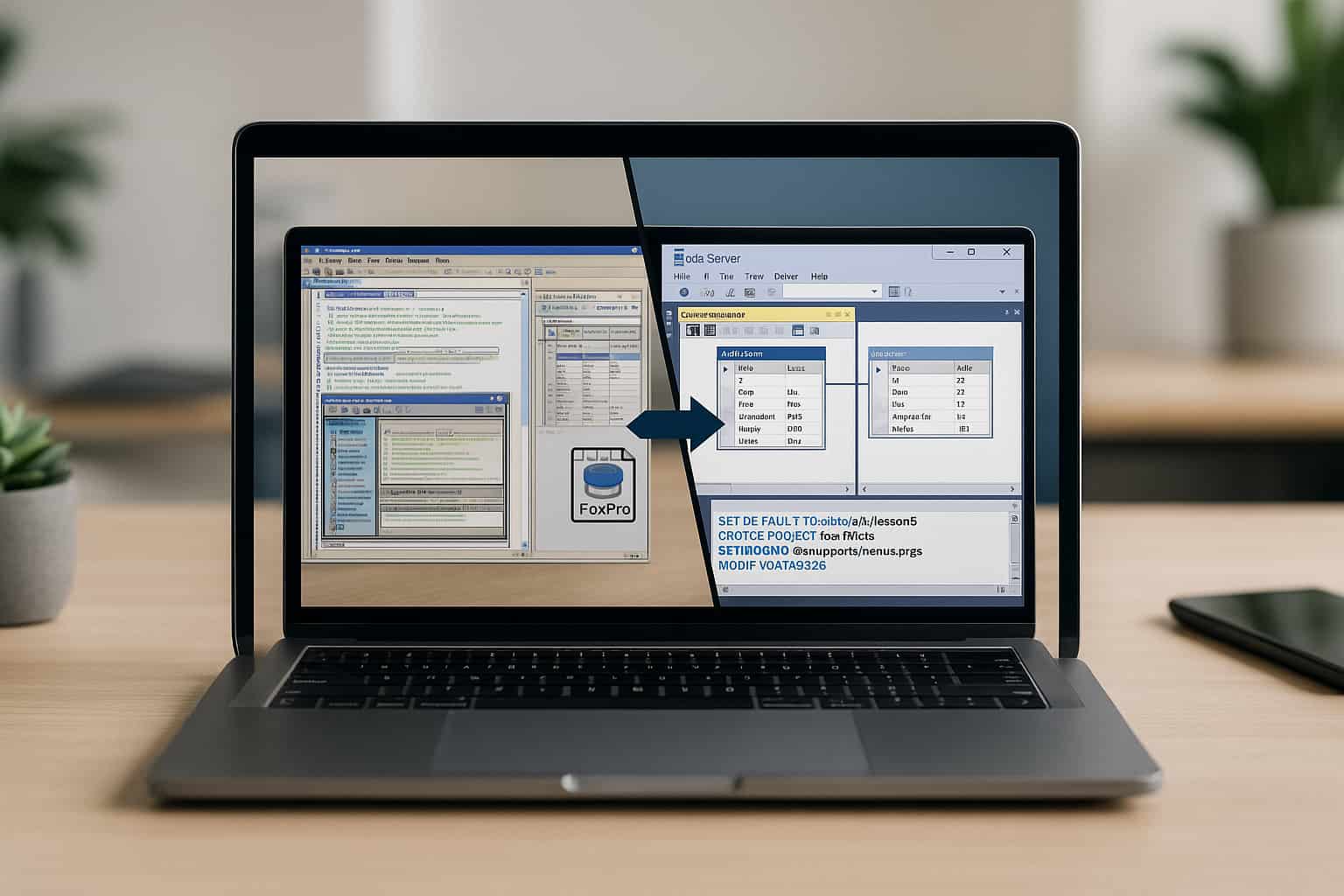
    visual foxpro migration to sql server

    Moving data from Visual FoxPro (VFP) to SQL Server is a challenging job these days. More and more companies are moving to SQL Server.  Many businesses have remained loyal to the FoxPro legacy system, but need a bigger and better database. SQL Server enables businesses to manage their data securely and reliably with advanced features. Although the FoxPro to SQL conversion process can bring various challenges.


    In this article, we are going to go over the common issues during migration and how to fix them, and how you can ensure the migration is smooth from FoxPro to SQL Server.

    What is Visual FoxPro?

    Visual FoxPro is a computer program that lets you create applications in a variety of dialects. One version of it was produced in the mid-1990s by Microsoft. The program is generally available free of charge. Microsoft stopped providing support for FoxPro in 2007.

    However, many businesses are still using it for data storage and application development.  Today, many users are migrating their FoxPro databases into more powerful systems like SQL Server. That’s simply because FoxPro databases are incompatible with modern technologies.

    Can I Migrate FoxPro to SQL Server?

    The switch from FoxPro to SQL Server is a possibility that requires planning and execution.  There are various processes, including moving your data, altering DBF to SQL conversion, rewriting queries and many more. We highlight challenges and solutions that can make your project migration successful in the future.

    migrating visual foxpro to an sql server

    Common Challenges in FoxPro to SQL Migration

    1. Data Type Incompatibility

    When migrating data from Visual FoxPro to SQL Server, the first challenge is the difference in data types between the databases.  FoxPro employs DBF files, which are organized differently compared to SQL Server’s data format. If data types are mismatched, one can face data corruption or loss if not handled properly.

    2. Table Denormalization

    Data within FoxPro is stored in a denormalized format, which is efficient for some desktop applications but not optimized for a relational SQL Server model. When transferring data to SQL Server, we need table normalization. The process of segregation of data to eliminate duplication and improve efficiency through proper relationships.

    3. Stored Procedures and Business Logic

    FoxPro’s approach to stored procedures is different from SQL Server’s approach. FoxPro uses embedded business logic in the application. SQL Server uses Server-side stored procedures to process the data. The migration group rewrites business logic as SQL Server stored procedures. While time-consuming, this is essential for database performance.

    4. Linked Server Integration

    When your FoxPro system works with other databases or any other database, you must configure a linked server in SQL Server. It can be somewhat tricky since FoxPro uses a different connection mechanism than SQL Server, which might fail to work.  Setting up linked servers properly will control your data well.

    5. Index and View Migration

    FoxPro can speed things up with indexes and views, but they may not be compatible with SQL Server’s indexing mechanics. If indexes aren’t migrated correctly or optimized properly in SQL Server, performance can slow down. According to SQL Server best practices, the indexes should be rebuilt, and views should be modified.

    How to Migrate FoxPro Database to SQL Server

    Migrating your FoxPro database to SQL Server involves several important steps to ensure that the process goes smoothly. Here’s how you can tackle the migration.

    Step 1: Pre-Migration Assessment

    Conduct a detailed assessment of your FoxPro database before migration.  It includes identifying data structure, table design, relationships, etc. Review the currently existing FoxPro queries and logic that should be redone in SQL Server.  Make a record of tables and relationships with special integrations.

    Step 2: Table Normalization

    Suitably normalize the FoxPro tables for the relational model SQL Server requires. We will remove duplicate data and re-arrange the tables to conform to the best database design. The normalization of database tables will make your SQL Server work faster and bigger, ensuring that it can adapt.

    Step 3: Converting the Database to SQL

    Afterward, you need to convert the DBF files into a table format compatible with SQL Server. To convert DBF to SQL, you can use built-in migration tools or third-party solutions. Before you start the migration, it is a good idea to inspect and test to see if the data is corrupted.

    Step 4: Redoing Stored Procedures and Queries

    Because FoxPro doesn’t allow for stored procedures, you will have to convert the existing queries and logic into SQL Server stored procedures. Stored procedures make sure queries run quickly and business logic is executed properly.

    Step 5: Linked Server Setup

    Creating a linked server to an external database in SQL Server is important for database systems. Make sure all the links to your data are properly configured. For larger systems, deploying SQL Server in a dedicated private cloud can reduce latency and improve connection reliability.

    What to Fix Before Migrating FoxPro

    It is necessary to fix issues before migrating the FoxPro database that will complicate the action of the migration process.


    • Check Data Integrity: Make sure the data in the FoxPro database is clean, consistent, and corruption-free. 
    • Business Logic: All FoxPro and stored scripts must be well documented and ready to be reworked into SQL Server stored procedures.
    • Try a Small Test Run: Perform a test on a smaller scale before proceeding with the whole data migration to check the success of the move.

    Wizmo’s FoxPro Migration Services Can Help You

    Moving from FoxPro to SQL Server needs good organization and experienced knowledge of two different systems. At Wizmo, we provide end-to-end FoxPro migration services for a smooth transition and better performance. Contact Wizmo today to learn more about how we can assist with your FoxPro migration and ensure your move to SQL Server is seamless. 


    By steering clear of these typical issues and choosing the right action in the course of migration, organizations can avoid mishaps that are costly mishaps and achieve success. If you’re good to go, we can get started with your migration journey. With Wizmo FoxPro Migration Services, you’re in expert hands.


    Contact us today at Wizmo for your simple FoxPro to SQL Server migration!

  • Visual FoxPro Applications Running Slow? Here’s How to Speed Them Up

    Visual FoxPro Applications Running Slow? Here’s How to Speed Them Up

    speed up visual foxpro

    If you are working with older legacy applications built on Visual FoxPro (VFP), you may notice that your database queries are getting slower. The issue can frustrate both technical and non-technical users alike. You can definitely fix slow FoxPro queries and optimize FoxPro performance through proven ways. In this article, we look at some common reasons for a slow FoxPro database and ways to speed up VFP apps.

    Why is FoxPro running slowly?

    Before we get into the solutions, we should first understand why your Visual FoxPro application is taking too long. A slow FoxPro database could be caused by several reasons; some of the common reasons are inefficient queries, large datasets, outdated hardware and improper indexing.


    Visual FoxPro can do many things, but it also has limitations. As your database and/or your application grow in size or complexity, performance issues are bound to arise. Slow queries in FoxPro, or lag in the application, could be a sign that your database deserves optimization.

    How to Fix Fox Pro Slow Queries

    You can speed up the Visual FoxPro application.  You can also optimize slow Fox Pro queries. Here are some tips to improve your performance in VFP.

    1. Optimize FoxPro Indexing

    A common cause for a slow FoxPro application is improper or missing indexing. Indexes help speed up the process of finding data in a database as they enable fast record searching. FoxPro often finds it very slow to scan an entire table to begin the search for a necessary index without utilizing indexes.

    How to Improve FoxPro Performance with Indexing

    1. If your queries depend on more than one field, create a compound index to speed up searching times.
    2. Make sure to rebuild indexes regularly. Rebuilding them periodically ensures they remain efficient.
    3. Use index expressions for frequently accessed fields to enhance retrieval speeds.

    2. VFP Performance Tuning with Buffering

    Using record buffering is another vital method for speeding up Visual FoxPro applications. Buffering is when changes are stored in memory and not sent straight to disk, which takes a better time.

    How to Improve FoxPro Performance with Buffering

    • Optimistic buffering means assuming the user will not modify the record at the same time.
    • Pessimistic buffering means it locks the record until the update is committed to ensure that no incorrect update occurs.
    • Incorporate the BUFFERMODE Command: This command indicates whether the buffered data is altered during processing.

    3. Seek Optimization in FoxPro

    The search allows access to records with the help of indexes, so that you can directly locate the data instead of a table scan.

    How to Speed Up Visual FoxPro Using Seek Optimization

    • Using SEEK will let you go exactly to the record you want and avoid Full Table Scans.
    • Ensure that your queries are optimized to use indexed fields. You want to avoid scanning large datasets if possible.

    4. SQL Passthrough is taking advantage of external databases

    At times, the true limitations of the FoxPro database engine can slow down your FoxPro application. SQL passthrough allows queries to be directly and efficiently executed on external databases like SQL Server or MySQL.

    Fix Slow FoxPro Queries with SQL Passthrough

    • You can send your queries directly to the external database for faster processing using SQL passthrough.
    • SQL passthrough also enables FoxPro to connect to a database over a network, improving speed in large applications.

    5. Avoid Unnecessary Transactions

    Using transactions to ensure consistency in data clients is one thing, but using them where not necessary can slow down your FoxPro application. Use transactions only when necessary and try to commit them fast so that resources are freed.

    How Can I Speed Up My VFP Application?

    Additional suggestions to make your Visual FoxPro application perform even faster after our previous discussion on key VFP performance tuning tips.

    visual foxpro running slow on windows

    1. Upgrade Your Hardware

    Sometimes the problem lies outside of FoxPro itself. Your hardware may be too old and slow, which can slow down even efficient queries. Many teams also move workloads to a dedicated private cloud for faster disks, modern CPUs, and predictable performance.

    Hardware Improvements

    • This means that increasing development add-ons to your existing system will allow better developed applications without adding more expense.
    • Using a solid-state drive for your database will greatly enhance the read/write speeds.

    2. Rewriting Inefficient Code

    Legacy FoxPro apps often include old or inefficient code that slows the app down. Revising such inefficient segments of code can improve the performance by a lot.

    Code Optimization Tips

    • When optimising your application, you must profile it to see where the most resource consumption happens.

    • Change loops that search through large amounts of data many times.

    3. Run a Performance Audit for Legacy Apps

    If your FoxPro application is still slow, a performance audit can help focus your efforts on finding code with performance issues or memory bottlenecks.

    Why You Need a FoxPro Speed Optimization Service

    • Professional service will help find performance issues you cannot do or will not want to do. 
    • Custom Recommendations: You will receive tailored advice for optimizing your FoxPro database performance.
    • Following the audit, we will continue to help you keep things in working order.

    Fix Slow FoxPro Queries and Speed Up Your Application

    Although optimizing Visual FoxPro may seem tricky, you’ll be able to obtain significant improvements with some simple tweaks. The tricks offered in this article will ensure you regain the speed of your VFP apps by fixing your slow FoxPro queries, optimizing your indexing and buffering, as well as using advanced techniques like SQL passthrough.

    Need Help with VFP Performance Tuning?

    If you have slow FoxPro queries or VFP performance problems, Wizmo is the answer. The FoxPro optimization experts on our team can optimize the speed of your legacy app with a full performance audit. We’ll help you pinpoint and address what is slowing down your Visual FoxPro database and get your app working at full speed again.


    Contact Wizmo today for a detailed FoxPro performance audit and take the first step toward a faster, more efficient Visual FoxPro application. Contact us now and let us assist you in optimizing your VFP database for peak performance!